

What you rely on
This month62%
- Rent / housing
- Groceries
- Utilities
- Transportation
- Insurance
Budget · Expenses · Savings
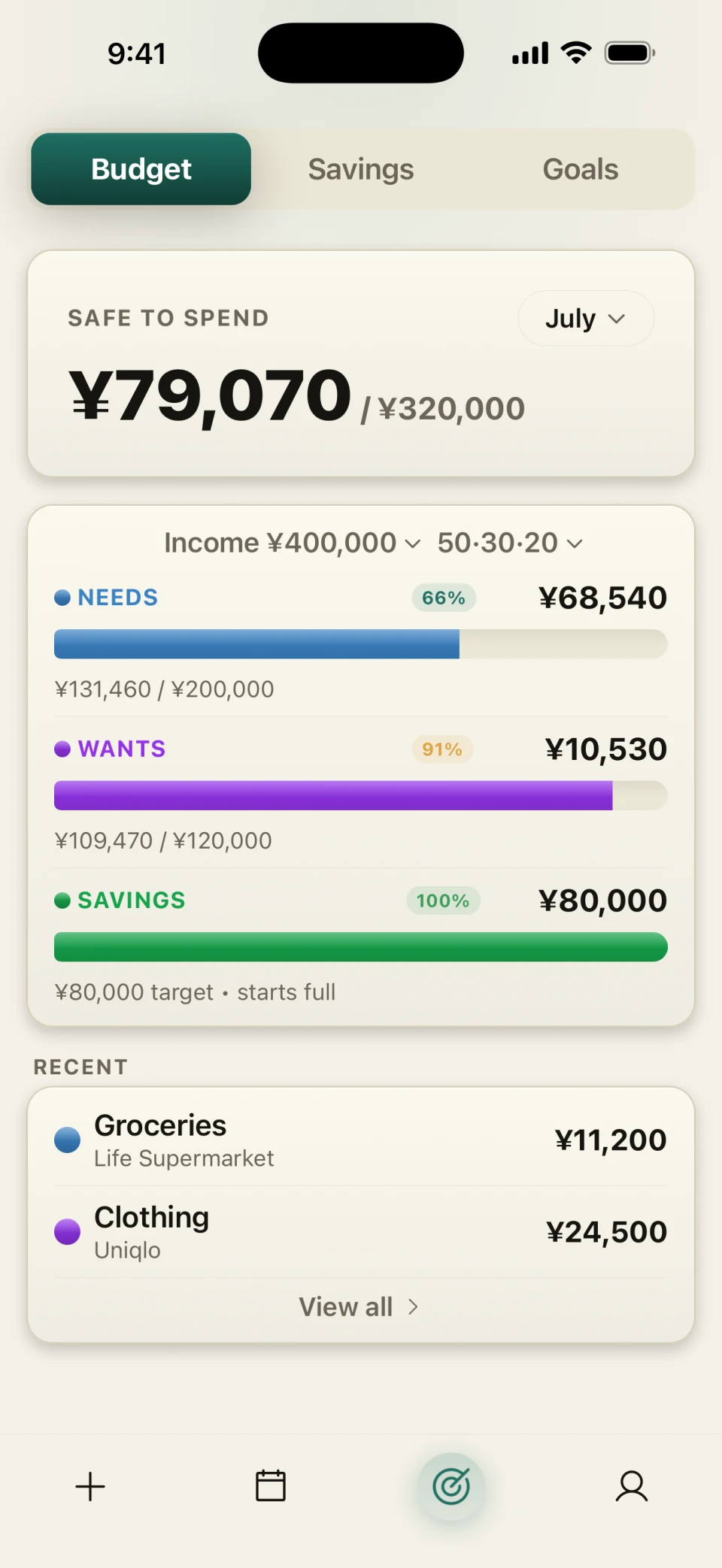
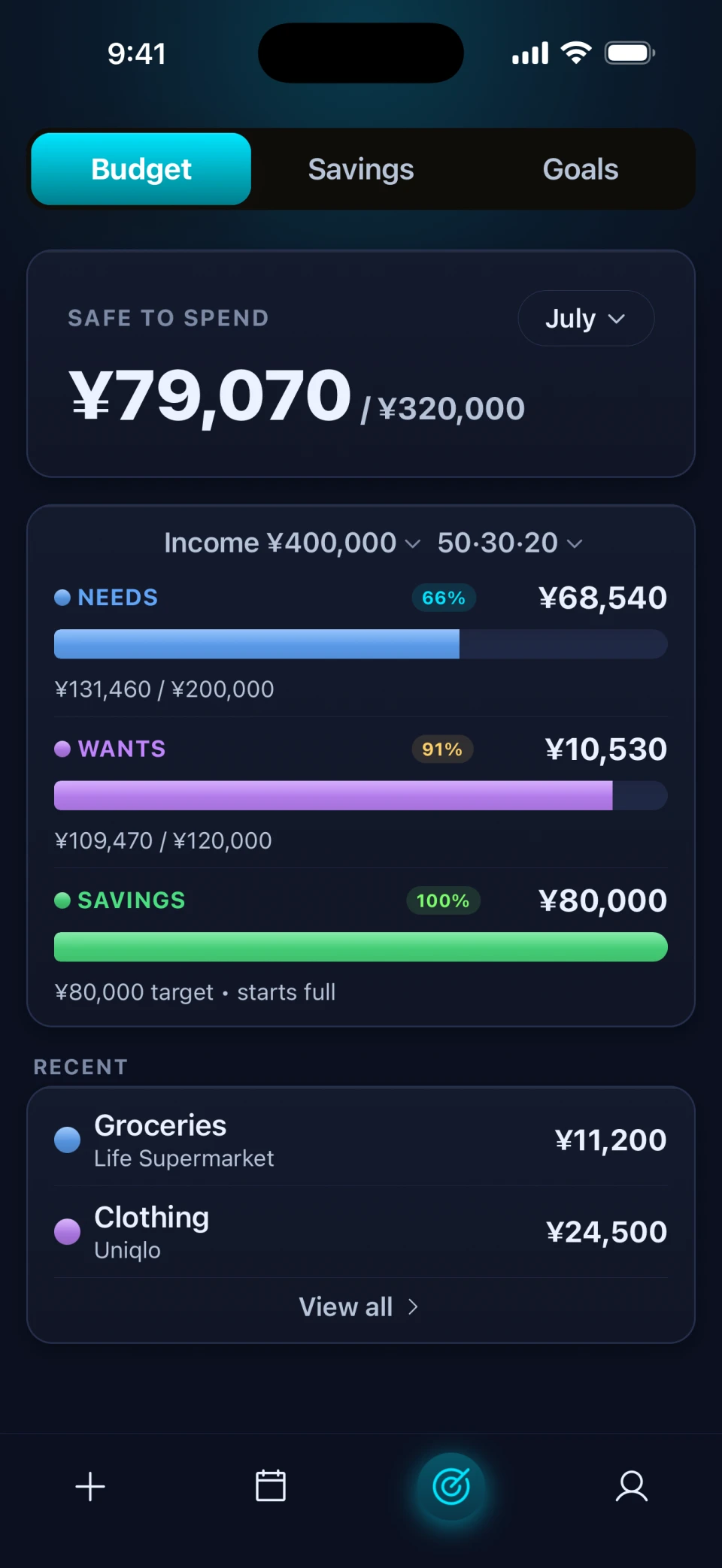
Three colors — Needs, Wants, Savings. Every penny lands in the right one, automatically.
No category micromanagement.
 App Store coming soon
 Google Play coming soon
Live · April 2026
Income ¥500,000 · 50/30/20
Three Color Budgeting
Most apps make you track 10–15 categories. Expensei collapses everything into three colors — every expense, every bill lands in exactly one of them, and the bars do the thinking for you.
What you rely on
Flexibility & joy
What you’re building
“Three colors instead of fifteen categories. That’s why your budget always makes sense.”
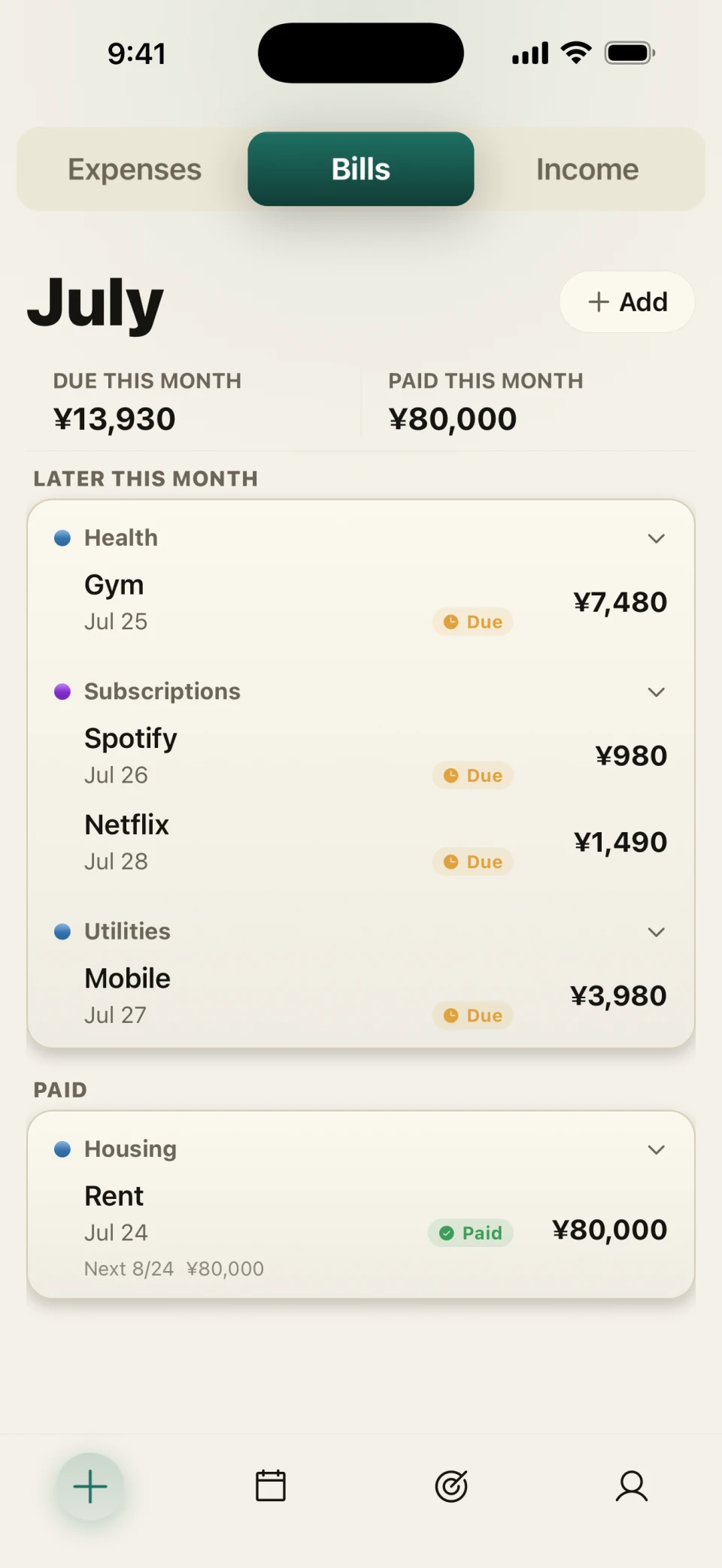
Unified money view
Most apps separate bills and spending. Expensei combines daily expenses, recurring bills, and savings into one complete monthly picture.
Rent
Recurring · ¥175,000
Netflix
Recurring · ¥1,490
Groceries · Maruetsu
Today · ¥4,820
Emergency fund
Monthly · ¥30,000
Flexibility
Move any category or recurring bill between Needs and Wants. The numbers across every screen recalculate instantly.
Edit category
↻ Budget recalculated automatically across every screen.
Savings & progress
Savings accumulate into a piggy-bank total across months. A coin lands when you finish a good month, and quietly leaves when you overspend.
Save money with purpose, not just discipline.
Piggy bank · across months
+¥92,000 this month¥1,247,500
Turn savings into real goals.
Travel · emergencies · big purchases
Split system
Your month runs on a Needs / Wants / Savings split. Start at the classic 50/30/20, switch to a preset that fits your life better, or set your own percentages — all of it free. Expensei Pro reads your income and recurring bills and recommends the one that actually fits.
Every preset and Custom — free, on every plan.
Recommended for youPro
Pro reads your income and recurring bills, then marks the preset that fits. Here: bills use 23% of income, so THE STOIC covers them and still puts 40% toward Savings.
Your month · THE CLASSIC
Income ¥400,000
Tap a split on the left — the whole month recalculates. In the app, so does every screen.
Real screens
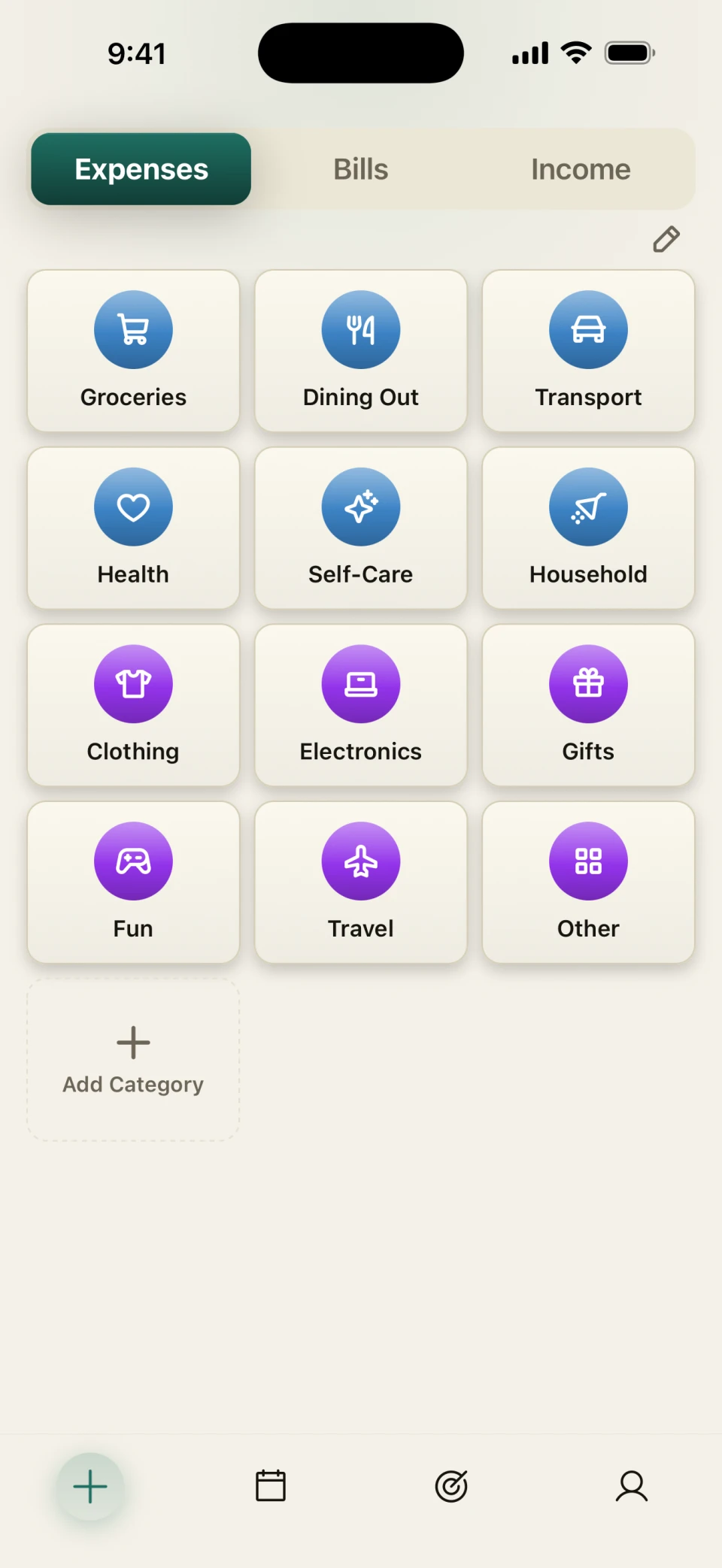
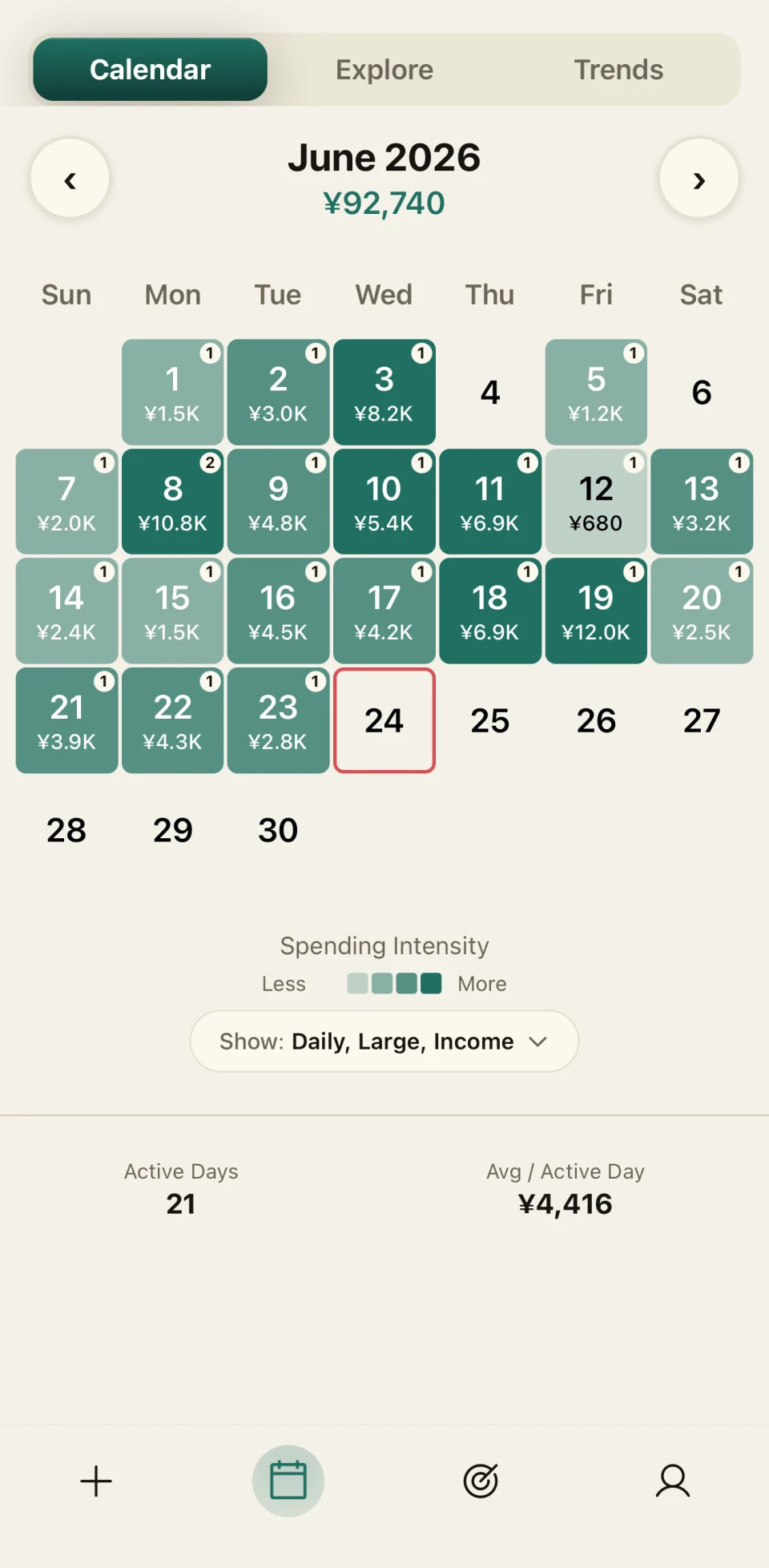
Three screens cover 90% of how you use Expensei: add, see, plan.
Tap a category. The color is set automatically.
Each category shows its color — blue for Needs, purple for Wants.
Three colors, three numbers, one full month.
Active days, totals, and intensity.
Expensei Pro
Pro keeps the simple system intact, then opens the dials for people who want more flexibility.
Automatic bills & income
Recurring entries post themselves every month — on Free you confirm each one with a tap.
Personalized split recommendation
Reads your income and fixed bills, then marks the preset that fits — THE STOIC, THE CLASSIC, or THE MODERN.
Multiple savings goals
Travel, emergency, anything you’re working toward.
Custom categories & subcategories
Build the taxonomy that matches your life.
CSV export
Simple and advanced exports for spreadsheets, accountants, taxes.
Premium themes
A small grid of refined looks for the app.
Questions
No. Expensei is manual by design. You log in seconds, and your data stays in your hands.
Yes — free. Start at THE CLASSIC 50/30/20, switch to THE STOIC or THE MODERN, or set custom percentages. Pro adds a personalized recommendation based on your income and recurring bills.
Yes. Add expenses offline; they sync when you’re back online.
Today, yes — one budget per account. A shared household experience is on the roadmap, but we'd rather ship it right than ship it twice.
Expensei is JPY-friendly by default and supports multiple currencies. Pick yours in setup.
App Store coming soonGoogle Play coming soonFree to start · No bank login · Works offline